Income, expenses, profit
Know how much you sold, spent and kept this month — no manual math.
Web app — works on mobile and desktop
Soodiar gives you the tools you need to manage sales, customers, invoices and payments — all in one place.
No lengthy training — get started on day one.
On mobile and desktop — even offline, with automatic sync.
Designed for everyday work, not large organizations.
Only what you actually need, without heavy jargon.
From issuing invoices to tracking checks and installments — everything you need to manage sales and money.
Issue invoices with line items, discounts and totals, and follow their payment status.
Prepare a quotation so customers can see prices and terms before the sale is final.
See every customer's details and balance in one place — who owes what is always clear.
Save your products and services with prices so invoices come together faster.
Record incoming and outgoing payments and cash transactions to keep balances up to date.
Set up installment sales and track each due date and the remaining amount.
Manage received and issued checks with their due dates and current status.
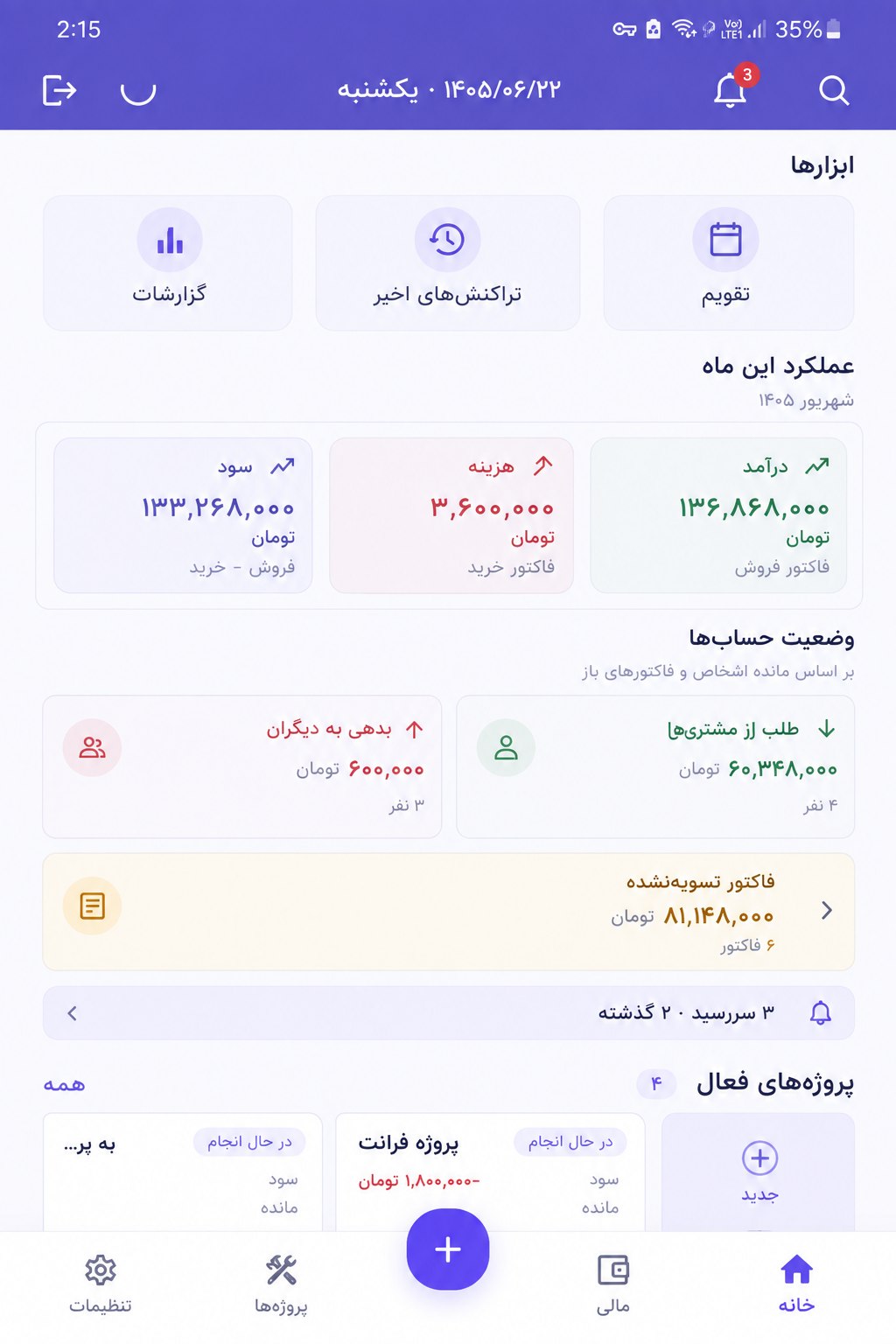
See each month's income, expenses and profit for a clear picture of your finances.
The Soodiar dashboard shows where your business stands at a glance — no complicated reporting. The app interface is in Persian.
Calendar, recent transactions and reports are always one tap away.
Income, expenses and profit for the current month, based on sales and purchase invoices.
How much customers owe you and whom you owe, based on each person's balance.
Unpaid invoices and upcoming or overdue dates, before they slip your mind.
Know how much you sold, spent and kept this month — no manual math.
Balances are totaled automatically, so you know who still needs to settle up.
The total of unpaid invoices and the number of overdue items, always in view.
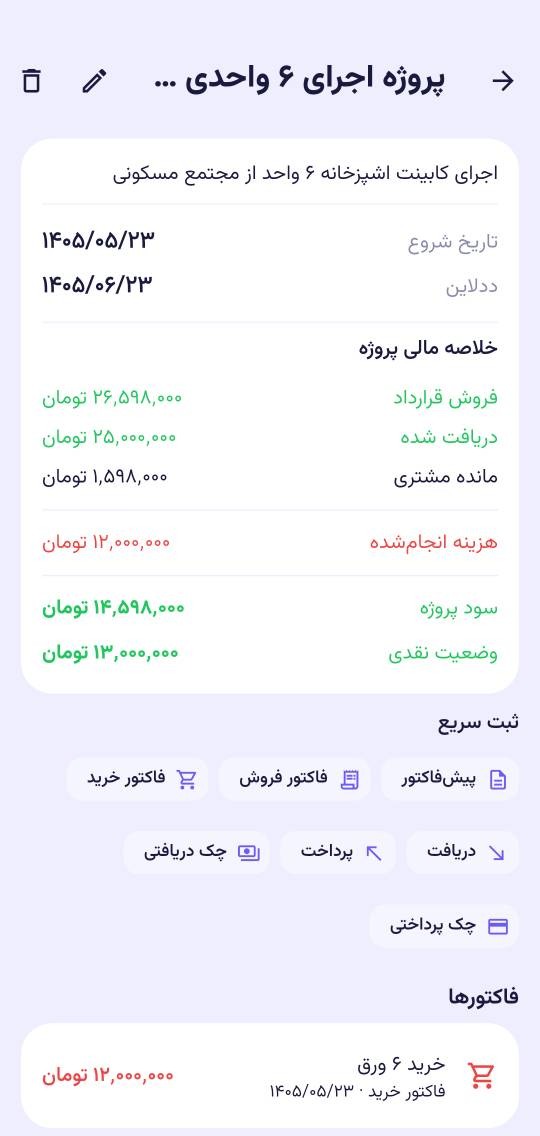
In Soodiar, every sale, payment received, purchase and expense can be recorded inside its project. So for each project you can see the contract value, how much you’ve been paid, what you spent on each part of the work — and how much profit is left.
Contract value, amount received and what the customer still owes, always up to date.
Purchase invoices and payments are recorded in their project, so you know what each part cost.
Project profit and the cash you actually have in hand are calculated automatically.
Add quotations, invoices, payments and checks right from the project page.
Signing up takes just a few minutes, and there's nothing to install.
Add your customers, products and services — and fill in more whenever you like.
Issue invoices, record payments and see how your business is doing.
If you handle your own sales, customers and money, Soodiar is built for you.
Invoice each project, record milestone payments and know which clients haven't paid yet.
Keep daily sales, installments and customer checks organized, and always know each balance.
Repair shops, consultants, schools or salons — define your services and see all incoming payments together.
For home-based or online businesses — everything in one place instead of notebooks and scattered spreadsheets.
Most accounting software is built for accountants. Soodiar is built for the person running the business: selling, getting paid, following up on what's owed, and wanting to know how much profit they made this month.
 The language of Soodiar
Soodiar is designed for freelancers, small shops, service providers and personal businesses — anyone who wants to manage sales, customers, invoices and payments without the complexity of traditional accounting software.
Yes. Soodiar is a web app that runs in the browser on phones, tablets and computers. You can add it to your phone's home screen (PWA) so it opens like a regular app. You can keep working without an internet connection; your data syncs as soon as you’re back online.
Yes. You can issue sales invoices and quotations, and record the payments for each invoice so its remaining balance is always clear. Unpaid invoices also appear on the dashboard.
Yes. You can record and track received and issued checks with their due dates, and manage payments, installments and cash transactions in Soodiar as well.
Yes. You can invoice each project or client, record milestone payments, and see in the projects section how much profit each project made and how much is still outstanding.
Yes. Sales, payments received, purchase invoices and payments for each project are recorded inside that project, and Soodiar automatically calculates its contract value, customer balance, costs incurred, project profit and cash position.
With Soodiar, manage your sales, customers and payments all in one place.